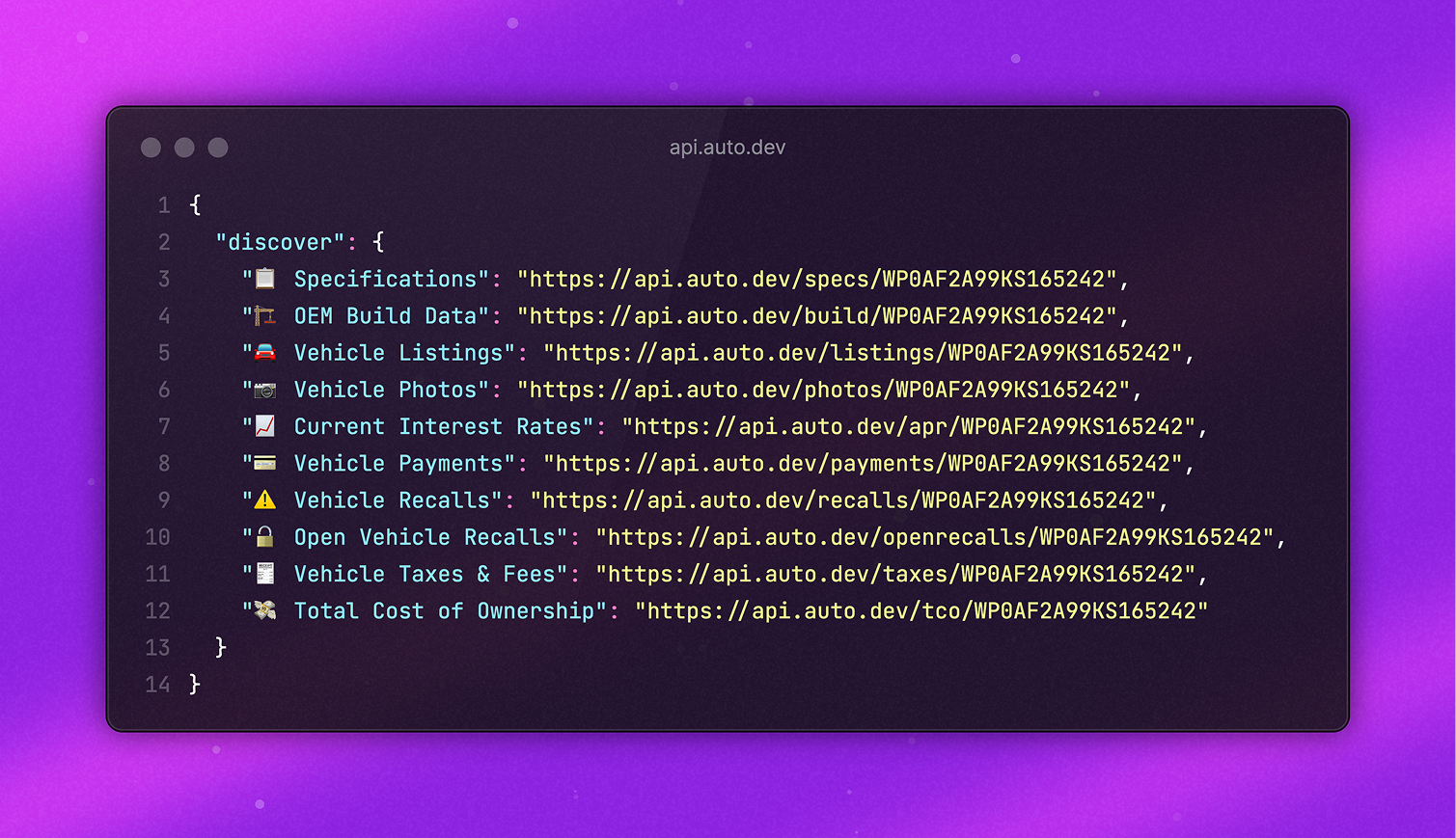
A Better Developer Experience
One of the most underrated features of Auto.dev is that API responses include clickable links – turning the API into a browsable surface.
With Auto.dev, each response ships hypermedia-style links that point to the next logical action. That means you can click through APIs like a web app—discover endpoints, explore results, and dive into docs without breaking flow.
Why this matters
- Zero guesswork: The next endpoint is in the payload.
- Faster discovery: Browse like a web app—no route hunting.
- Still documented: Each response also links to the relevant Docs page for depth.
Explore Auto.dev by Clicking Links
Let's walk through a single VIN to see how this works in practice.
How to Explore Auto.dev Using Clickable Links
- Start with VIN Decode by calling the API with any VIN
- Review the response's
discoverobject to see all available endpoints - Click on any endpoint link (like Vehicle Recalls) to see that data
- Use the
actionsobject to learn about query parameters by clicking examples - Open the
api.docslink from any response for detailed documentation
1. Start with VIN Decode
curl https://api.auto.dev/vin/WP0AF2A99KS165242{
"api": {
"description": "🗂️ Vehicle VIN Decode",
"docs": "https://docs.auto.dev/v2/products/vin-decode"
},
"vin": "WP0AF2A99KS165242",
"make": "Porsche",
"model": "911",
"trim": "GT3 RS",
"vehicle": {
"year": 2019,
"make": "Porsche",
"model": "911"
},
"discover": {
"🗂️ Vehicle VIN Decode": "https://api.auto.dev/vin/WP0AF2A99KS165242",
"📋 Specifications": "https://api.auto.dev/specs/WP0AF2A99KS165242",
"🏗️ OEM Build Data": "https://api.auto.dev/build/WP0AF2A99KS165242",
"🚘 Vehicle Listings": "https://api.auto.dev/listings/WP0AF2A99KS165242",
"📷 Vehicle Photos": "https://api.auto.dev/photos/WP0AF2A99KS165242",
"📈 Current Interest Rates": "https://api.auto.dev/apr/WP0AF2A99KS165242",
"💳 Vehicle Payments": "https://api.auto.dev/payments/WP0AF2A99KS165242",
"⚠️ Vehicle Recalls": "https://api.auto.dev/recalls/WP0AF2A99KS165242",
"🔓 Open Vehicle Recalls": "https://api.auto.dev/openrecalls/WP0AF2A99KS165242",
"💸 Total Cost of Ownership": "https://api.auto.dev/tco/WP0AF2A99KS165242"
}
}The payload orients you immediately:
- Docs for VIN Decode.
- Vehicle Recalls and other endpoints via
discover.
2. Follow a Link → Click Vehicle Recalls
https://api.auto.dev/recalls/WP0AF2A99KS165242Now you’re seeing Vehicle Recalls, and you still have a clickable Docs link right in the payload.
{
  "api": {
    "description": "⚠️ Vehicle Recalls",
    "docs": "https://docs.auto.dev/v2/products/vehicle-recalls"
  },
  "data": [
    {
      "manufacturer": "Porsche Cars North America, Inc.",
      "nhtsaCampaignNumber": "21V201000",
      "parkIt": false,
      "parkOutSide": false,
      "overTheAirUpdate": false,
      "reportReceivedDate": "24/03/2021",
      "component": "SUSPENSION:REAR",
      "summary": "Porsche Cars North America, Inc. (Porsche) is recalling certain 2019 Porsche 911 Speedster, 2020 Porsche 911 Carrera S Coupe, Carrera 4S Coupe, and Carrera S Cabriolet vehicles. The screw connection on the rear axle upper control arm may be loose.",
      "consequence": "A loose connection may fail, causing driving instability and increasing the risk of a crash.",
      "remedy": "Porsche will notify owners, and dealers will rework and tighten the screw connection on the rear axle upper control arm, free of charge. Owner notification letters were mailed May 21, 2021. Owners may contact Porsche customer service at 1-800-767-7243. Porsche's number for this recall is AMA6.",
      "notes": "Owners may also contact the National Highway Traffic Safety Administration Vehicle Safety Hotline at 1-888-327-4236 (TTY 1-800-424-9153), or go to www.safercar.gov.",
      "modelYear": "2019",
      "make": "PORSCHE",
      "model": "911"
    }
  ],
  "totalRecalls": 1
}
3. Branch Out by Clicking Actions
From Vehicle Recalls, follow discover → Taxes & Fees:
https://api.auto.dev/taxes/WP0AF2A99KS165242{
"criteria": {
"price": 9763,
"zip": "33101",
"docFee": 200,
"tradeIn": 0
},
"totalTaxesAndFees": 1244.16,
"taxes": {
"combinedSalesTax": 683.41,
"stateSalesTax": 585.78
},
"fees": {
"titleFee": 85.25,
"registrationFee": 247.5,
"docFee": 200
}
}The payload also includes an actions object. You can learn the API’s query parameters by clicking them and watching how the URL changes.
{
  "actions": {
    "Change Price": {
      "$9,763": "https://api.auto.dev/taxes/WP0AF2A99KS165242?price=9763",
      "$8,314": "https://api.auto.dev/taxes/WP0AF2A99KS165242?price=8314"
    },
    "Change Zip": {
      "Chicago, IL": "https://api.auto.dev/taxes/WP0AF2A99KS165242?zip=60695",
      "Los Angeles, CA": "https://api.auto.dev/taxes/WP0AF2A99KS165242?zip=90210"
    }
  }
}
For example, clicking Los Angeles, CA reveals that location is controlled by the zip query parameter.
Update both price and zip, and the URL looks like this:
https://api.auto.dev/taxes/WP0AF2A99KS165242?price=8314&zip=902104. The API Object → Always Oriented
Every Auto.dev response also includes an API Object:
{
  "api": {
    "name": "api.auto.dev",
    "description": "🗂️ Vehicle VIN Decode",
    "url": "https://api.auto.dev/vin",
    "account": "https://api.auto.dev/account",
    "docs": "https://docs.auto.dev/v2/products/vin-decode"
  }
}
From here you can:
5. Explore Different VINs
The examples object gives you quick links to compare different years, makes, and models with the same API.
{
  "examples": {
    "2024 GMC Sierra 1500 SLT": "https://api.auto.dev/vin/3GTUUDED5RG412402",
    "2024 Hyundai Palisade Calligraphy": "https://api.auto.dev/vin/KM8R7DGE4RU770604",
    "2013 Ford Focus SE": "https://api.auto.dev/vin/1FADP3F23DL333360"
  }
}
Why This Improves Developer Experience
- Exploration by clicking → Treat the API like a web app.
- Docs in the payload → Never context switch.
- Discovery built in → Endpoints you didn’t know existed are surfaced naturally.
This design keeps you in flow: learning and building at the same time.